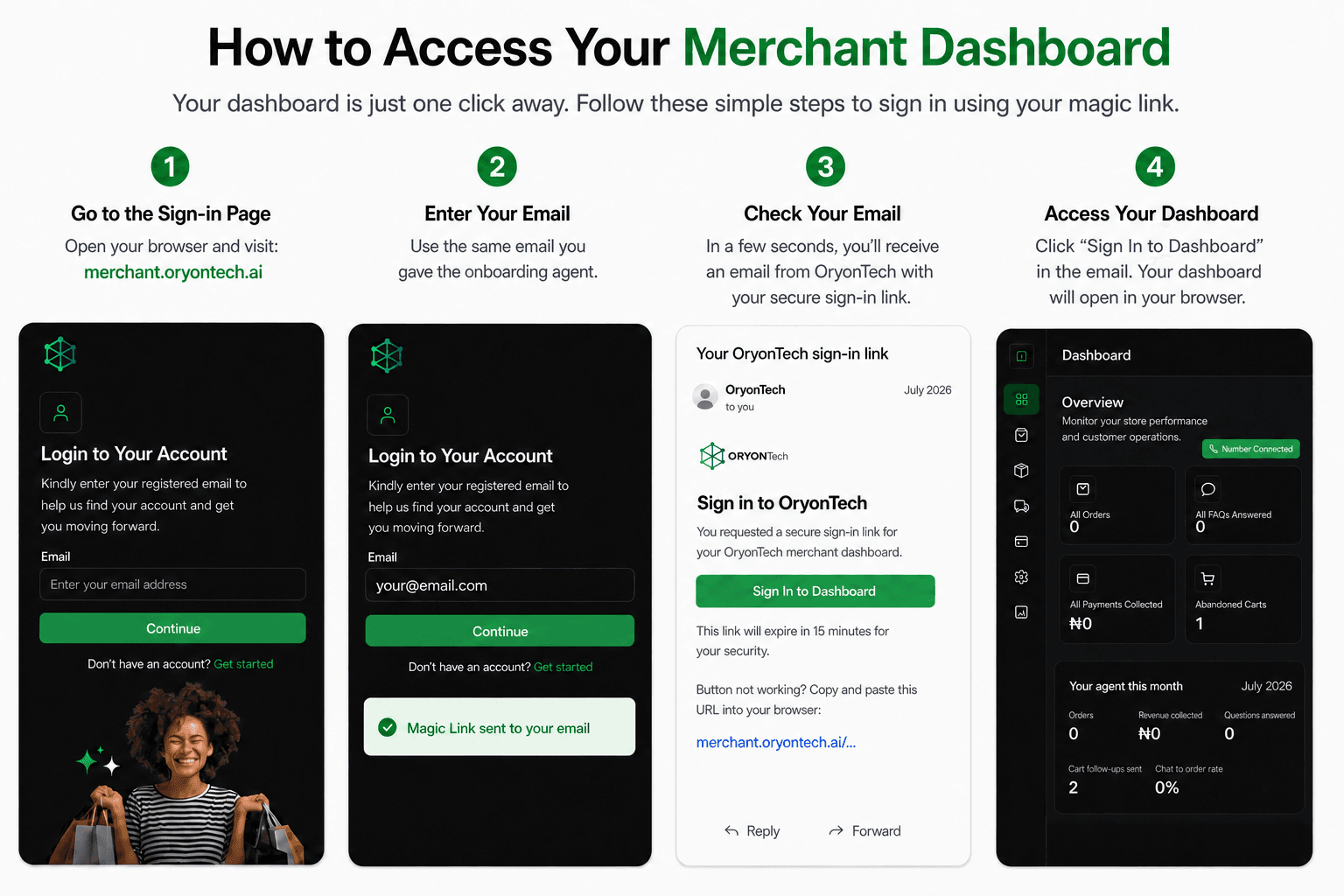
Day 0: Know What Success Means
Your first 14 days on the selected plan are subscription-free. Use that time to turn Agent as a Service into a real operating habit and complete genuine customer work. Full-plan billing starts on day 15.
Start by learning the dashboard, confirming your business information, and understanding where to get help. Products and services must match what customers can actually buy or book.
First 7 Days: Complete Real Customer Work
Setup completion and test records are useful checks, but they are not proof of customer value. Aim for one real customer outcome in the first week.
- If you do both: choose one outcome first, then repeat the same discipline in the second workflow.
First Order Success Checklist
Use a genuine customer order to confirm that the commerce workflow is helping your team from conversation through fulfilment.
- Confirm the product, price, stock, and customer details are accurate before fulfilment.
- Confirm the customer payment is recorded as successful before preparing pickup or delivery.
- Move the order through the correct pickup, dispatch, delivery, or buyer handoff status.
- Close the order with the real outcome and correct any catalog or FAQ gap the customer exposed.
First Appointment Success Checklist
Use a genuine appointment to confirm that your service, availability, customer communication, and final outcome stay aligned.
- Confirm the service, date, time, location, customer details, and assigned staff are correct.
- Review the deposit and payment status before treating the appointment as financially settled.
- Keep the appointment current if staff, time, or customer plans change.
- After the scheduled time, mark the real outcome as completed or no-show and correct any service or availability gap you found.
Build a Daily Operating Habit
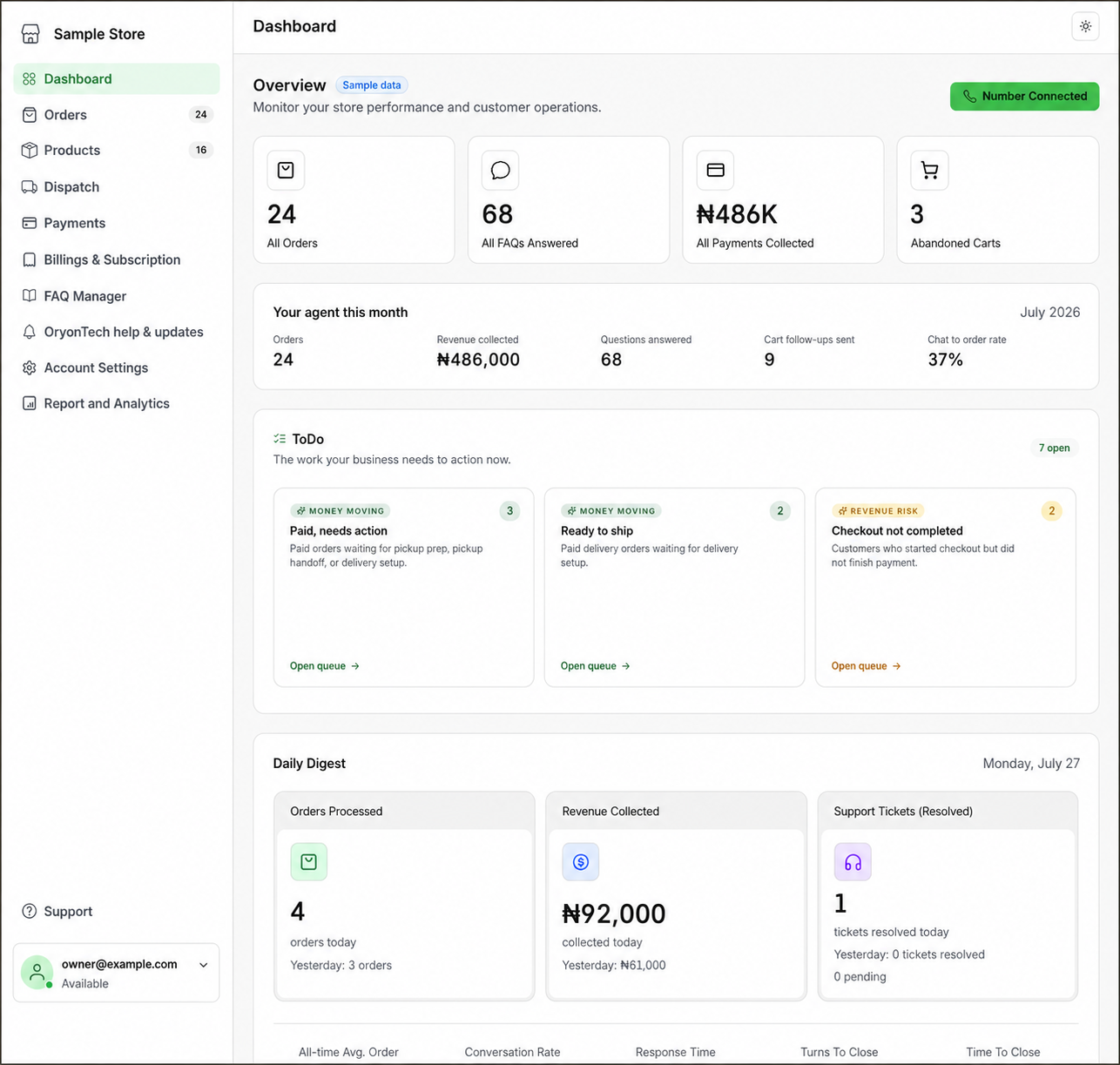
Open the dashboard at the start or end of each working day. Use the To Do area and the relevant workspace to find customer work that still needs a merchant decision.
- Commerce: review paid orders, unpaid carts, pickup, dispatch, and handoff status.
- Appointments: review upcoming bookings, unassigned work, deposit status, cancellations, and no-shows.
- Resolve customer handoffs that need judgment and keep statuses aligned with what actually happened.
- Update products, services, stock, availability, and FAQs as soon as the business changes.
Review and Improve Each Week
Use one short weekly review to find repeated friction. Look for customer questions without a reliable answer, orders or bookings stuck in the wrong state, missed buying moments, availability gaps, and business information that is no longer accurate.
Use records and insights to understand what customers actually asked for and what work was completed. Do not manufacture a performance conclusion from test data or setup activity.
Fix Warning Signs Early
Ask for help before a small operational gap becomes the reason your team stops using the platform. Warning signs include repeated unanswered questions, customer work that stays open, inaccurate catalog or availability data, unclear payment status, and staff returning to old manual tracking because the dashboard record is wrong.
Correct the source information first. If the dashboard cannot save the change, a status is wrong, or customer work cannot continue, open OryonTech Help & Updates from the signed-in dashboard.
Before Day 15: Review Value and Plan Fit
Before full-plan billing begins on day 15, review your active plan, message usage, recurring amount, add-ons, and account notices in Billings & Subscription.
Base the decision on real usage: completed orders or appointments, clearer records, customer questions handled, operational exceptions resolved, and the work your team still needs help improving.
Your first 14 days should produce real customer outcomes and a repeatable way of working, not just completed setup.
Ready to open your dashboard?
Check live activity, customer work, help tickets, billing status, and the next action your business needs.