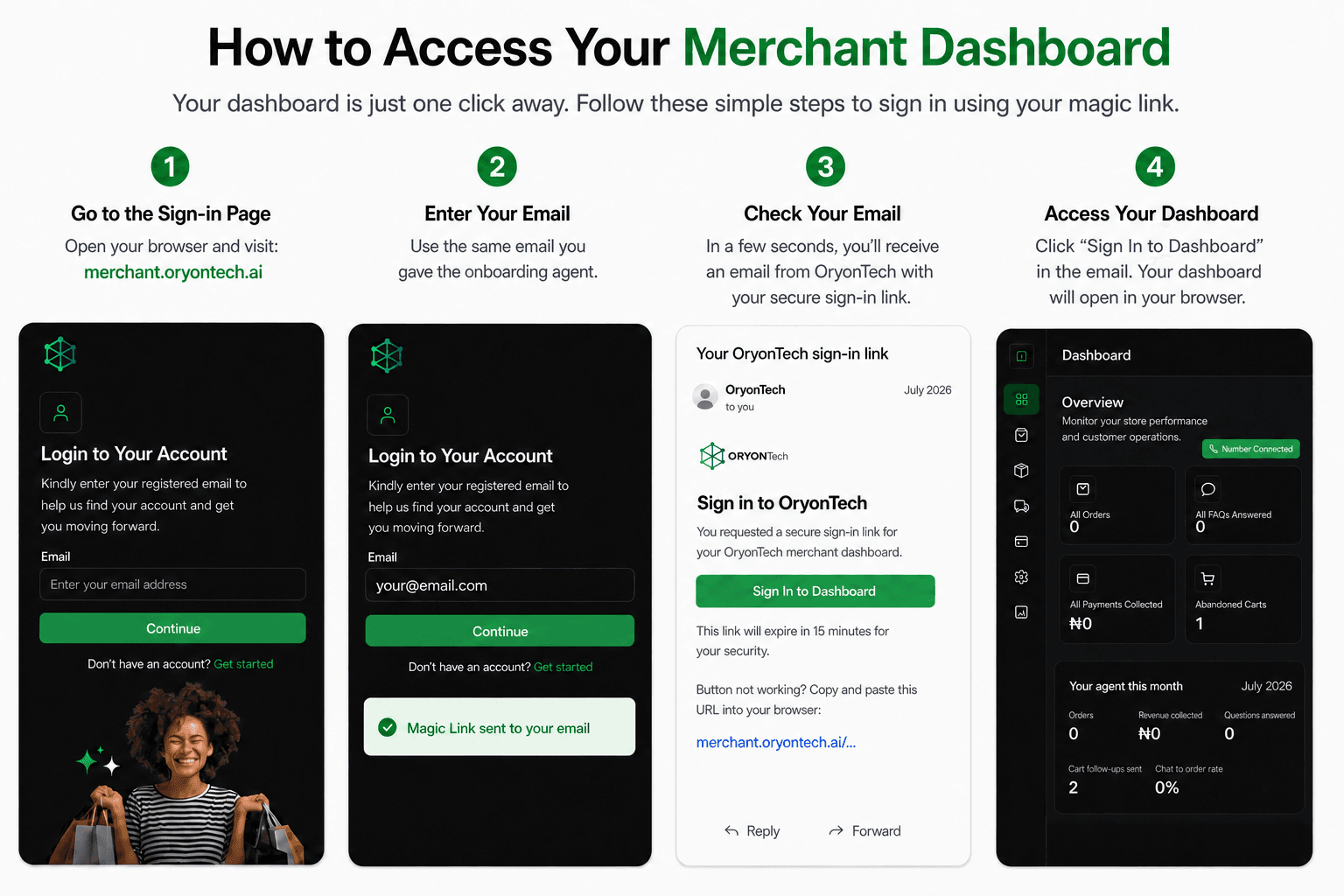
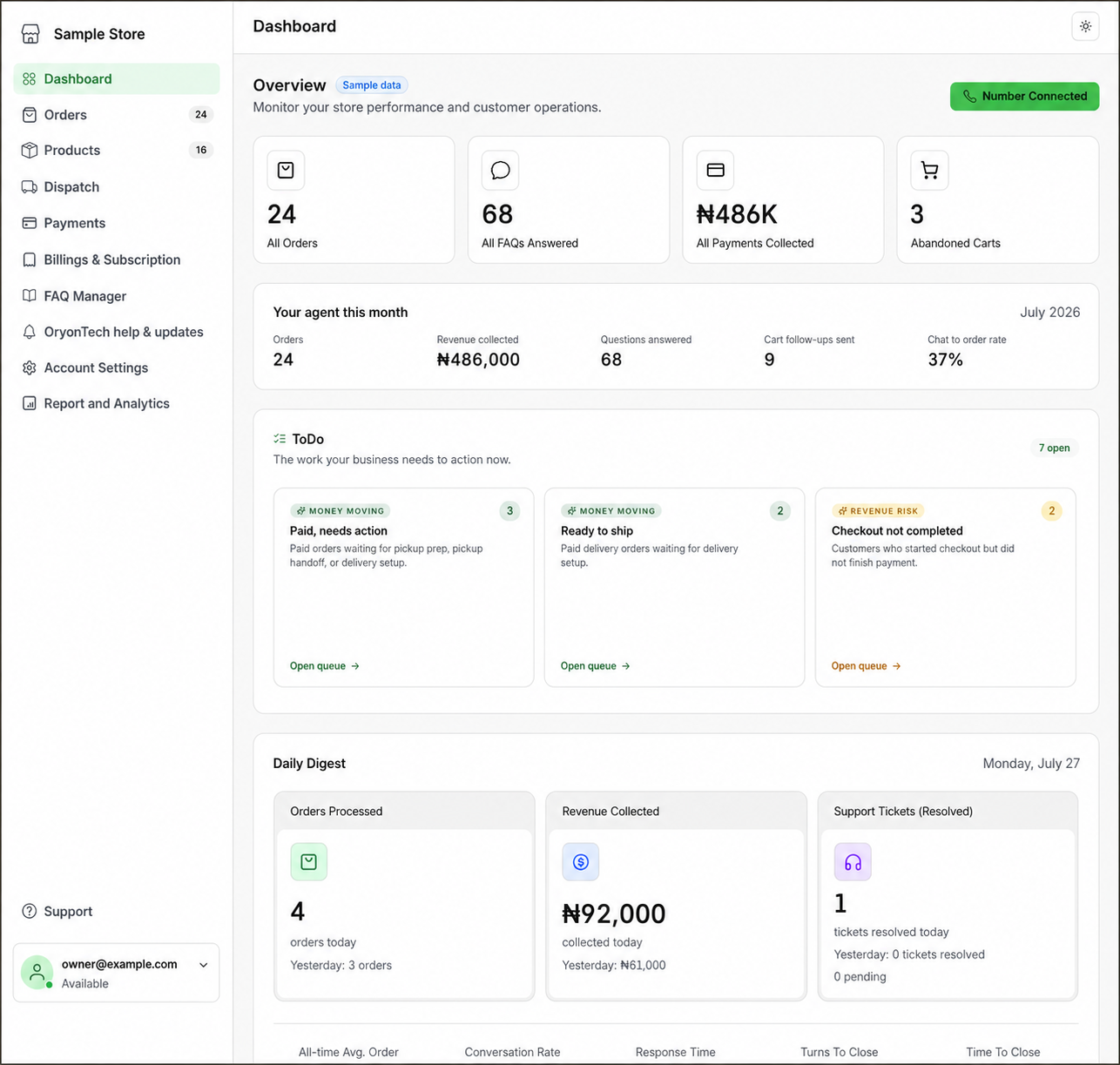
Read Performance From the Top Down
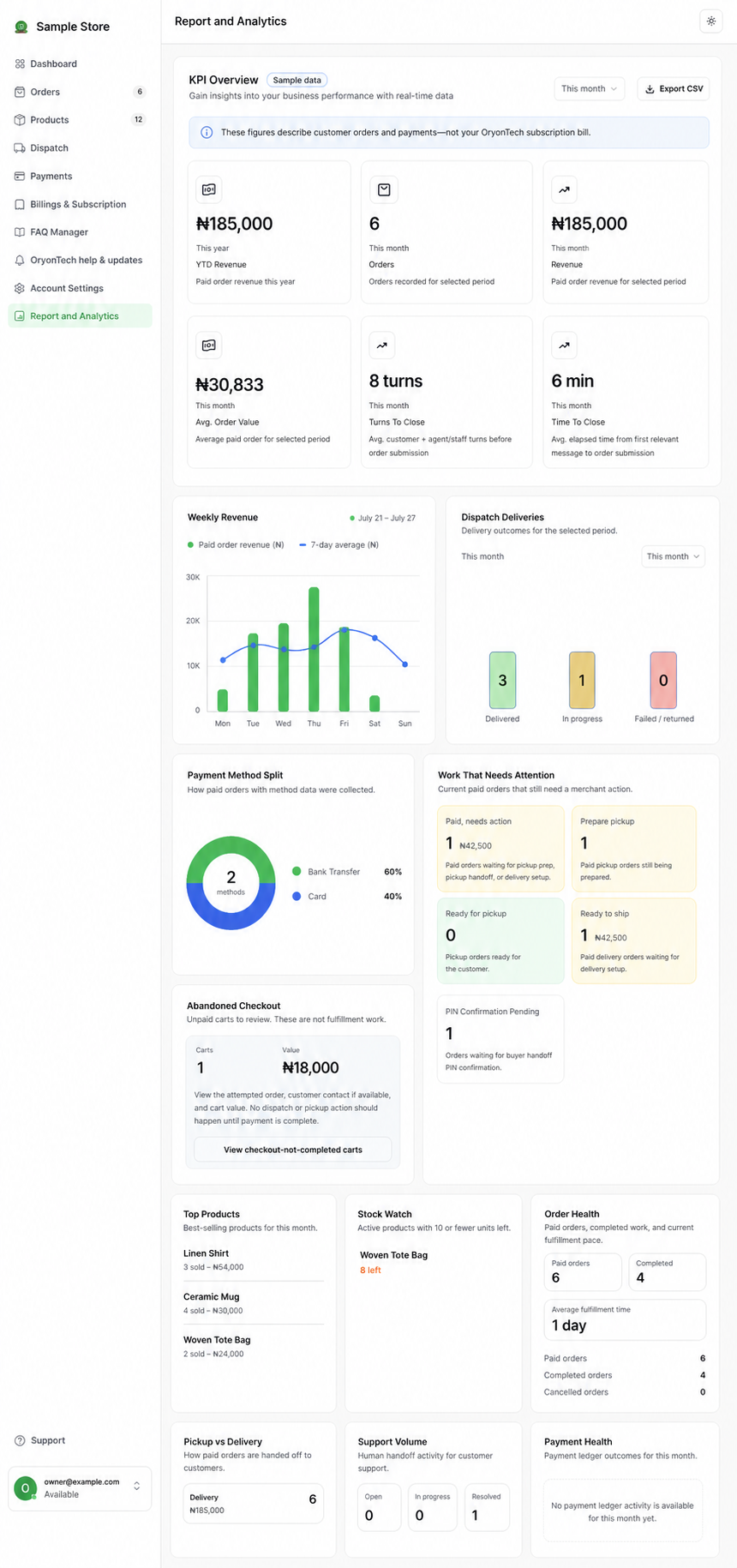
Report and Analytics begins with the period you selected: revenue, paid orders, average order value, turns to close, and time to close. Lower sections explain payment methods, fulfilment work, abandoned checkout, top products, stock, support volume, and order health.
Use the overview to find a question, then move to the matching operating page. Analytics tells you where to look; Orders, Products, Dispatch, and Payments remain the source of the underlying records.
Use Account Settings for Owner Controls
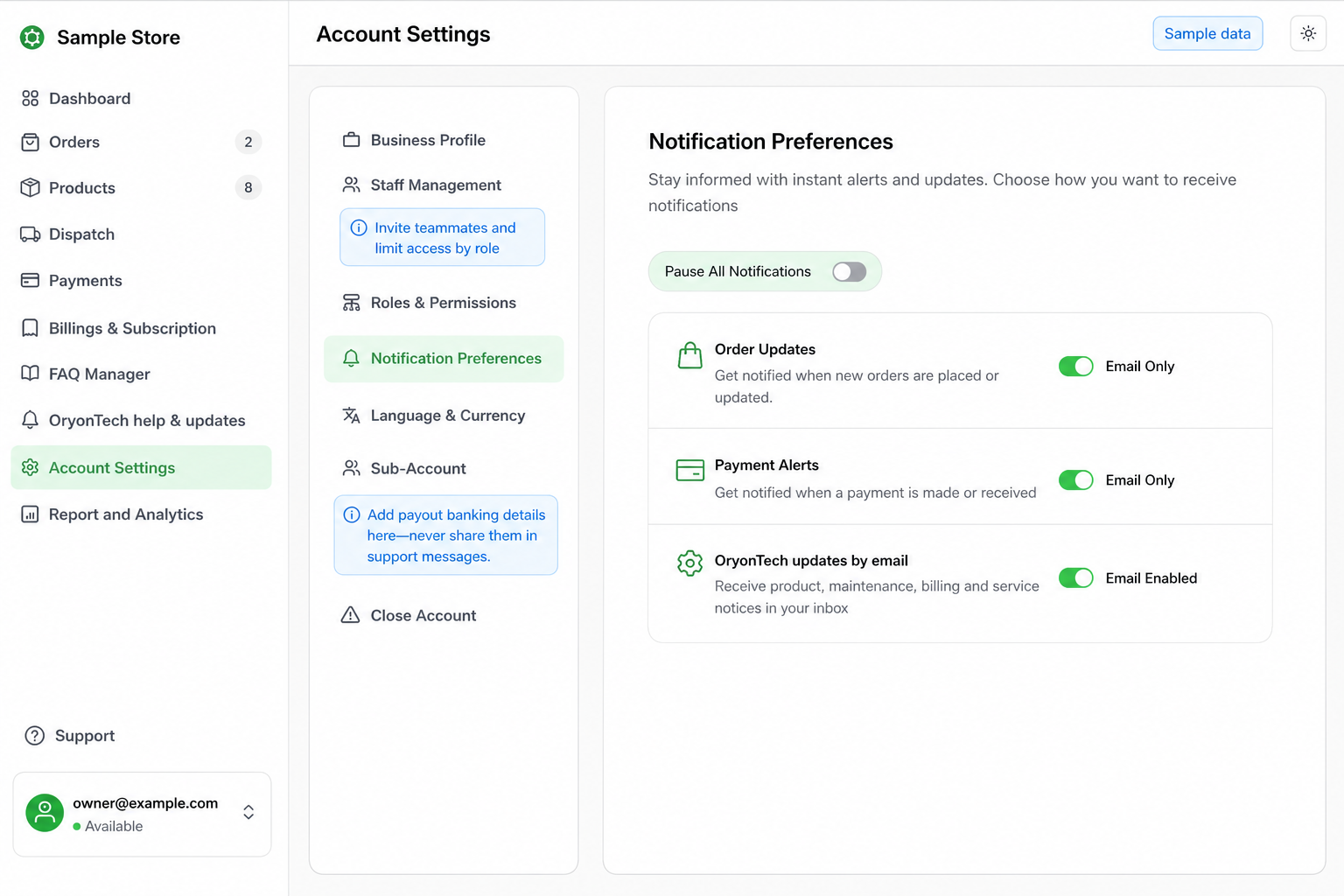
Account Settings contains the business profile, staff membership, roles and permissions, notification preferences, language and currency, payout sub-account, and account-closure controls.
Keep staff access limited to the work each person needs. Review notification preferences when the owner is missing order, payment, or OryonTech service updates.
The Dashboard Has Two Money Views
Payments is about money your customers pay for their orders. Billings & Subscription is about the plan, usage, add-ons, invoices, and charges between your business and OryonTech.
Keeping these views separate makes reconciliation easier and prevents a subscription charge from being mistaken for customer revenue.
Use Payments for Customer Transactions
The Payments page lists customer-payment records and their status. Use its status and payment-method filters to review paid, pending, failed, or refunded transactions and connect the payment back to the related order.
The order and payment record, not a chat message, are the source of truth for whether fulfillment should begin.
Use Billings & Subscription for Your OryonTech Account
This area shows your selected plan, message usage, add-ons, invoices, payment method, top-up options when available, and any account action required to keep the agent operating.
A billing block can turn the agent off even when the merchant pause switch is on. Settle the account issue from Billings & Subscription or contact OryonTech Help & Updates if the status is unclear.
How Your First 14 Days Work
Your first 14 days on the selected plan are subscription-free and include that plan’s monthly message quota. A one-time setup fee is charged at checkout and securely establishes the payment method. Before day 15, OryonTech sends reminders that show the exact full recurring amount and charge date.
On day 15, the full price of the selected plan and recurring add-ons is charged. Cancel before day 15 and no recurring plan charge is made. Review the amount shown in your account rather than relying on an old screenshot or message.
When to Ask for Help
Open an OryonTech help ticket if a customer payment and order disagree, a billing status is not clear, an invoice remains pending after payment, or the agent is blocked after you settle the required amount.
Share the order or invoice reference and the status you see. Do not send card details, magic links, or one-time codes.
Use the OryonTech help-path guide if you are unsure which support surface to open.
Payments is customer money. Billings & Subscription is your OryonTech account.
Ready to open your dashboard?
Check your current plan, guided-days status, invoices, message usage, and available actions.