Why Maintenance Matters
Agent as a Service depends on current business information. If prices, stock, delivery rules, pickup instructions, or FAQs change but the dashboard does not, customer answers become weaker.
A short weekly review keeps the agent useful and keeps staff from correcting the same avoidable mistakes.
The Weekly Checklist
Pick one fixed day each week and review the parts of the dashboard that affect customer answers and order flow.
- Update product prices, stock, descriptions, variants, and inactive items.
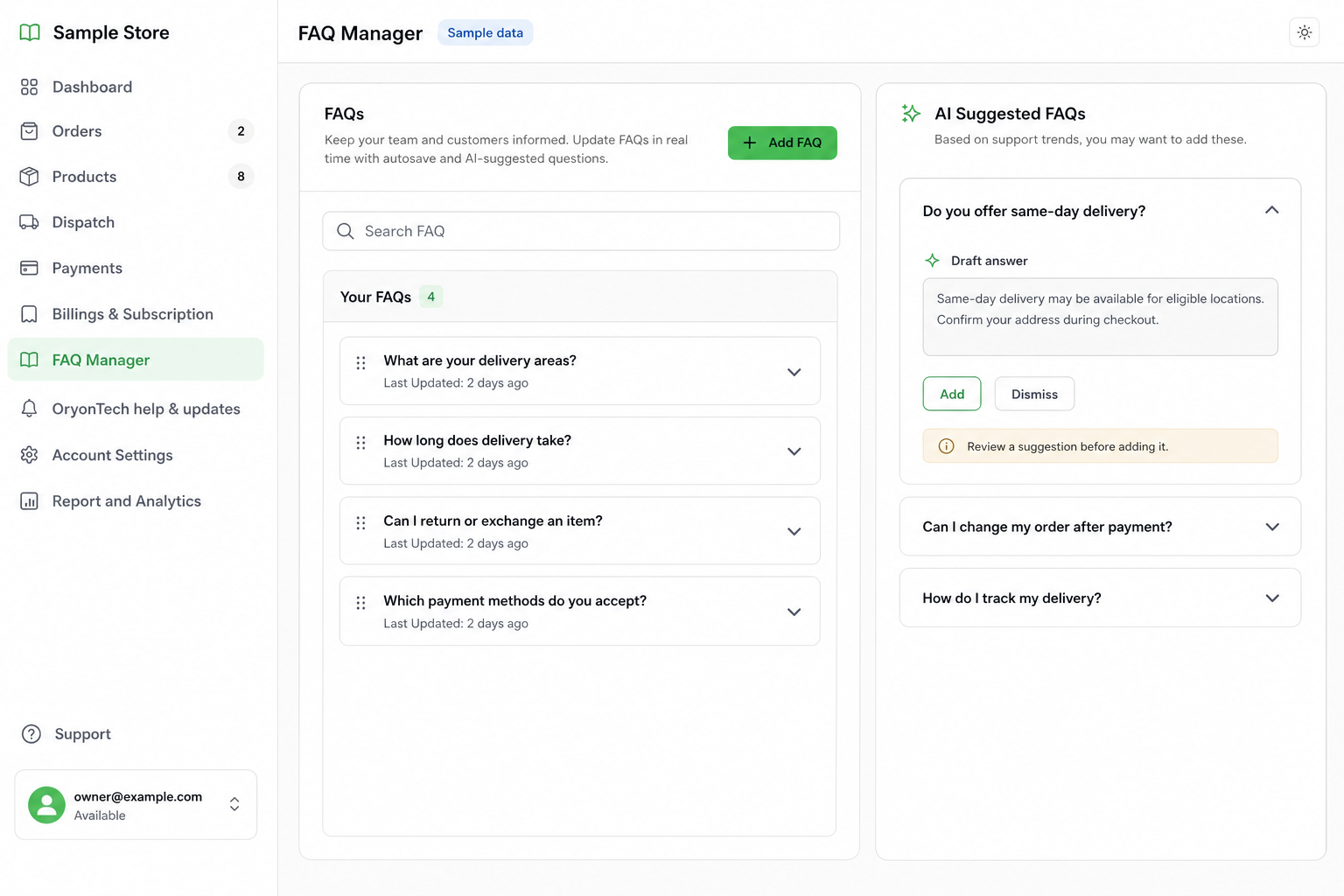
- Add FAQs for repeated customer questions from the week.
- Review unresolved handoffs and close completed ones.
- Confirm payment instructions, pickup rules, delivery areas, and dispatch expectations.
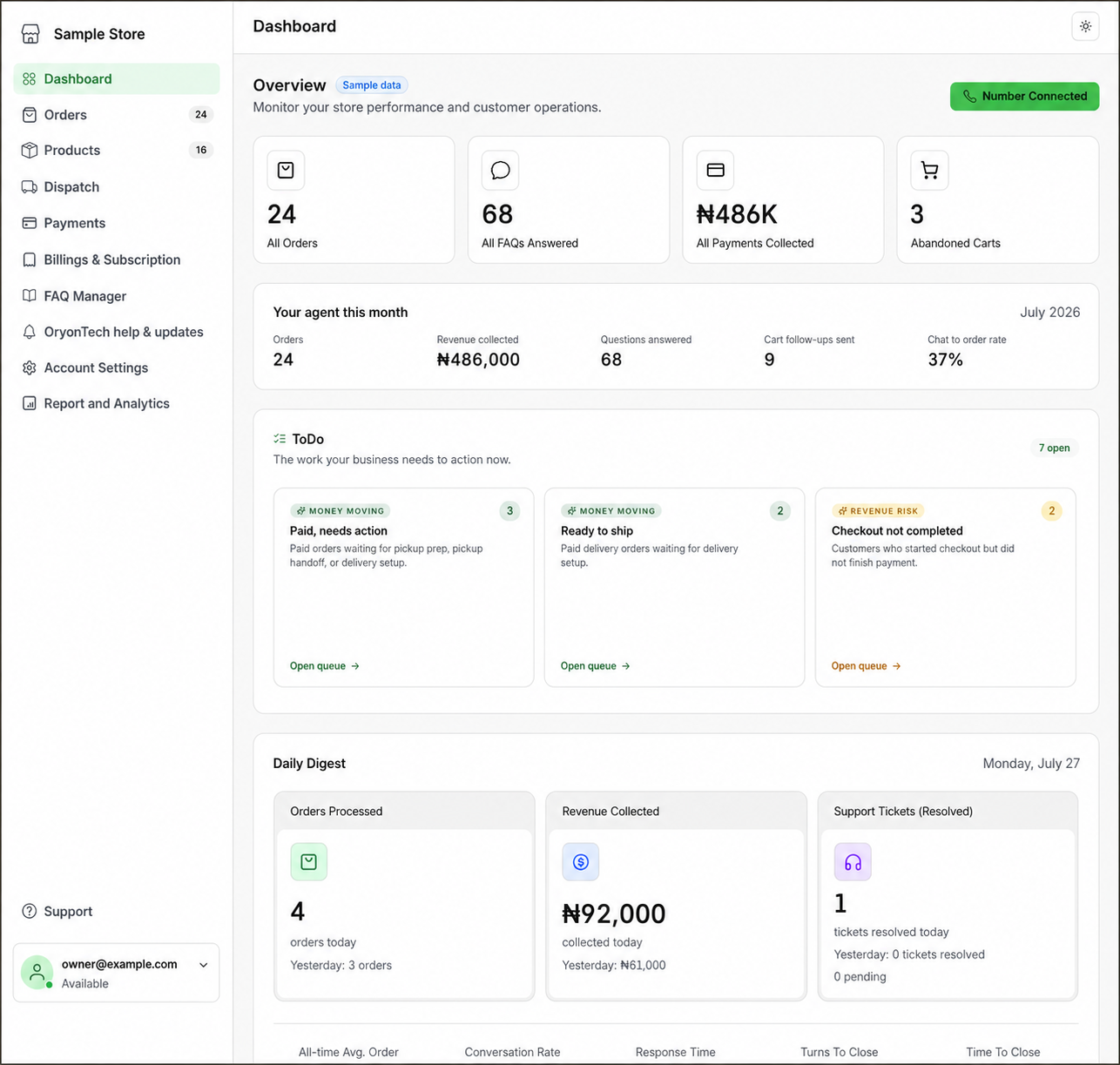
- Check analytics for abandoned checkout, top products, and support pressure.
Keep Products and Stock Honest
If an item is unavailable, mark it out of stock or inactive. If a product name is confusing, rewrite it using the words customers actually use. If variants matter, separate size, color, volume, package type, or service tier clearly.
Turn Repeated Handoffs Into FAQs
A repeated handoff is usually a sign that the agent needs a better approved answer. Review what customers asked, write one clear answer, and add it to FAQ Manager.
Do not write vague answers. A good FAQ should be specific enough that staff would be comfortable saying it directly to a customer.
After Updating
After you update products, FAQs, delivery rules, or business profile details, review one or two real customer scenarios. Ask whether a customer would now get a clearer answer and a cleaner next step.
If the dashboard will not save a change or a status looks wrong, open OryonTech Help & Updates instead of creating duplicate records.
Your agent is only as current as the business information behind it.
Ready to open your dashboard?
Review approved answers, add repeated questions, and keep customer-facing rules current.