Why Catalog Quality Matters
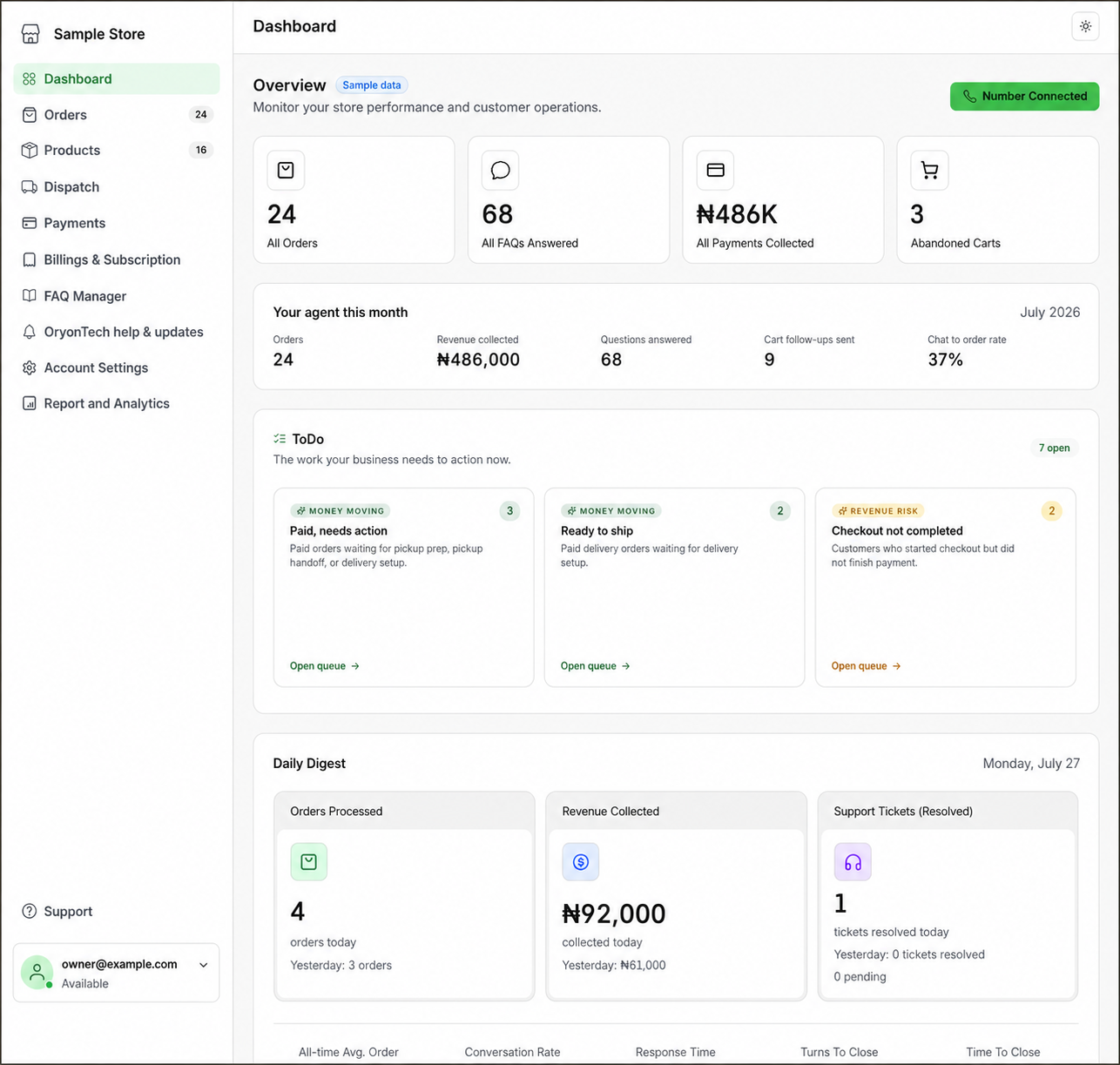
The product catalog is the source the agent uses for names, descriptions, images, prices, variants, and stock. A vague or outdated record creates a vague customer experience; a clear record lets the agent answer and build a cart without guessing.
FAQ Manager holds approved answers that are not product records. Use the FAQ guide for policies, opening hours, delivery coverage, returns, and other repeat questions.
Use a Simple Product When One Record Is Enough
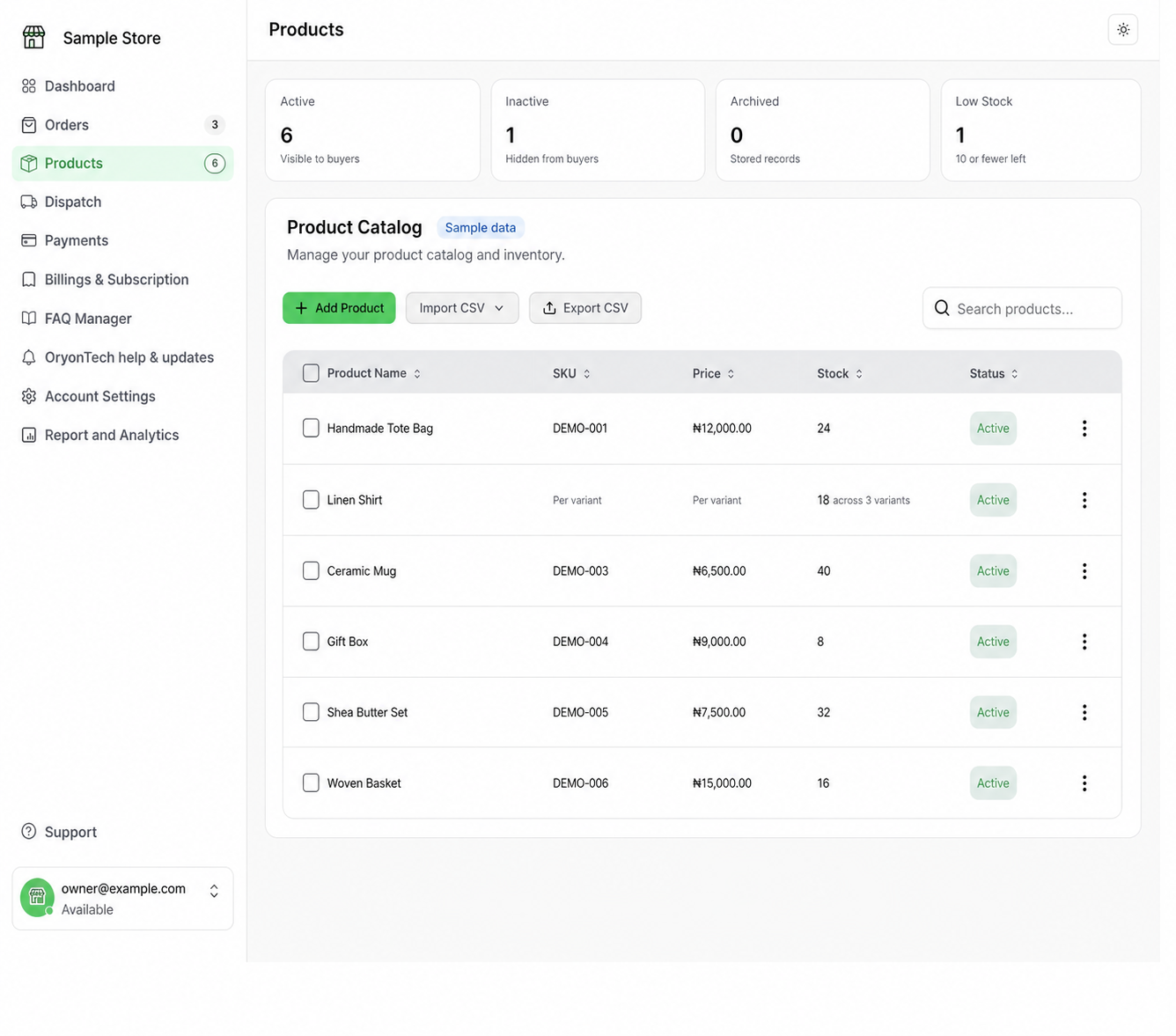
For an item with one price and one stock count, add the product name, a customer-ready description, price, stock, SKU when you use one, images, and an active status.
Write descriptions that answer what the item is, the important size or quantity, and any condition a customer needs before ordering.
Import Products With the Correct CSV Template
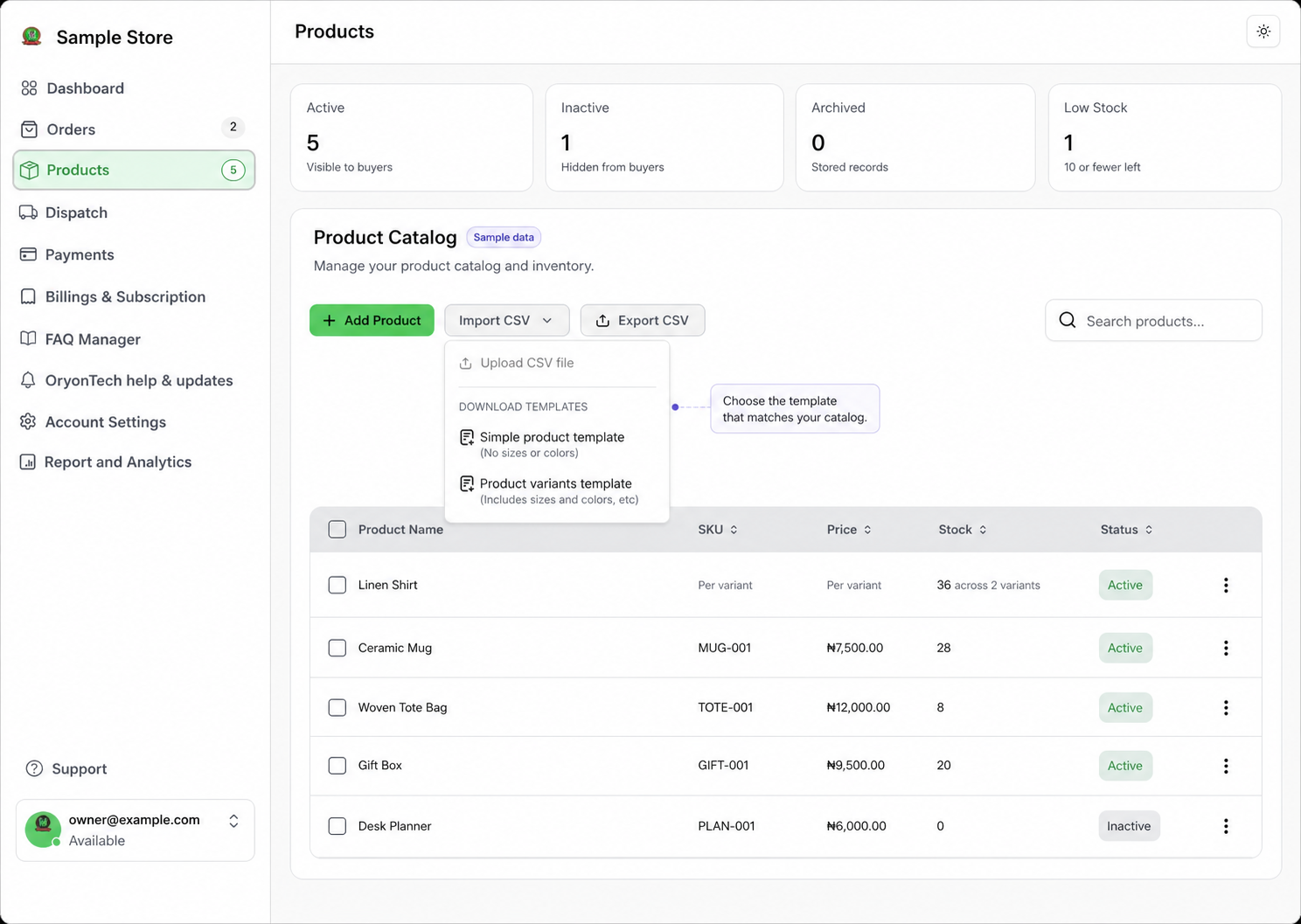
Use Import CSV when you have several products to add. Download the simple-product template for products with one price and stock count, or the product-variants template when sizes, colors, or other options have their own sellable combinations.
Keep the template column names intact. Review row-level warnings before relying on imported products, then open the catalog and confirm that names, prices, stock, status, and variants appear as expected.
Use Variants for Size, Color, or Other Choices
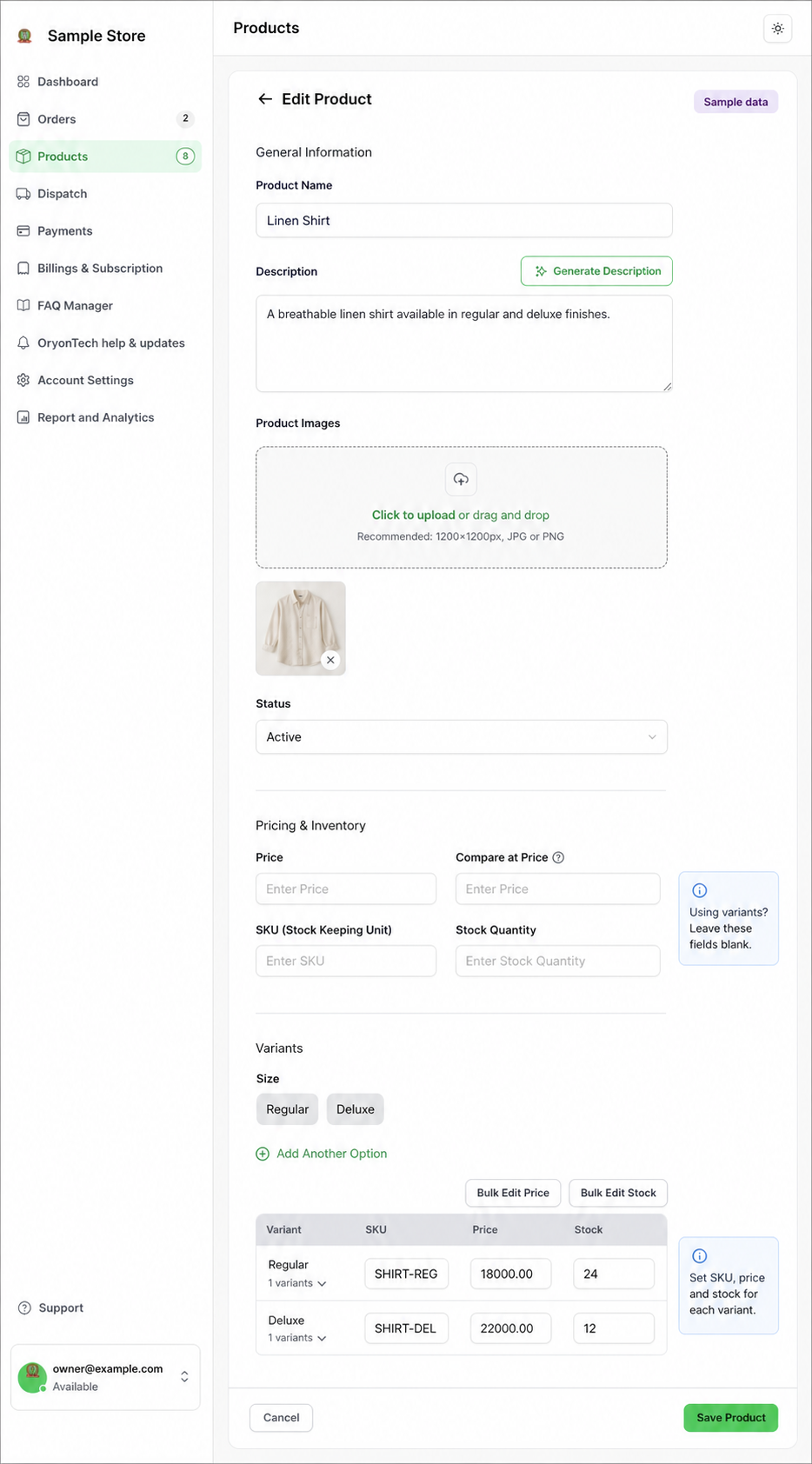
Create variant options such as Size and Color, then save the values for each option. OryonTech generates the sellable combinations so you can enter the price, stock quantity, and SKU for each one.
For a variant product, leave the top-level Price, SKU, and Stock Quantity fields blank. Enter the sellable price, SKU, and stock on each individual variant row instead. Use View Variants to review those combinations.
Keep Status and Stock Honest
Only active products should be shown to customers. Use inactive when you plan to return an item later, and archive when you want it removed from the working catalog without immediately deleting its record.
Update stock as inventory changes. The agent validates availability before adding to a cart, and the dashboard highlights low-stock products so you can act before customers reach an unavailable item.
Test the Questions Customers Actually Ask
After saving a product, try the natural phrases customers use: the exact name, a partial name, a common description, a size, or a color. If the result is unclear, improve the product name and description rather than relying on the agent to infer missing facts.
For products with variants, manage price, stock, and SKU on the individual variant combinations.
Ready to open your dashboard?
Add a product or review active, inactive, archived, and low-stock items.