What an FAQ Does
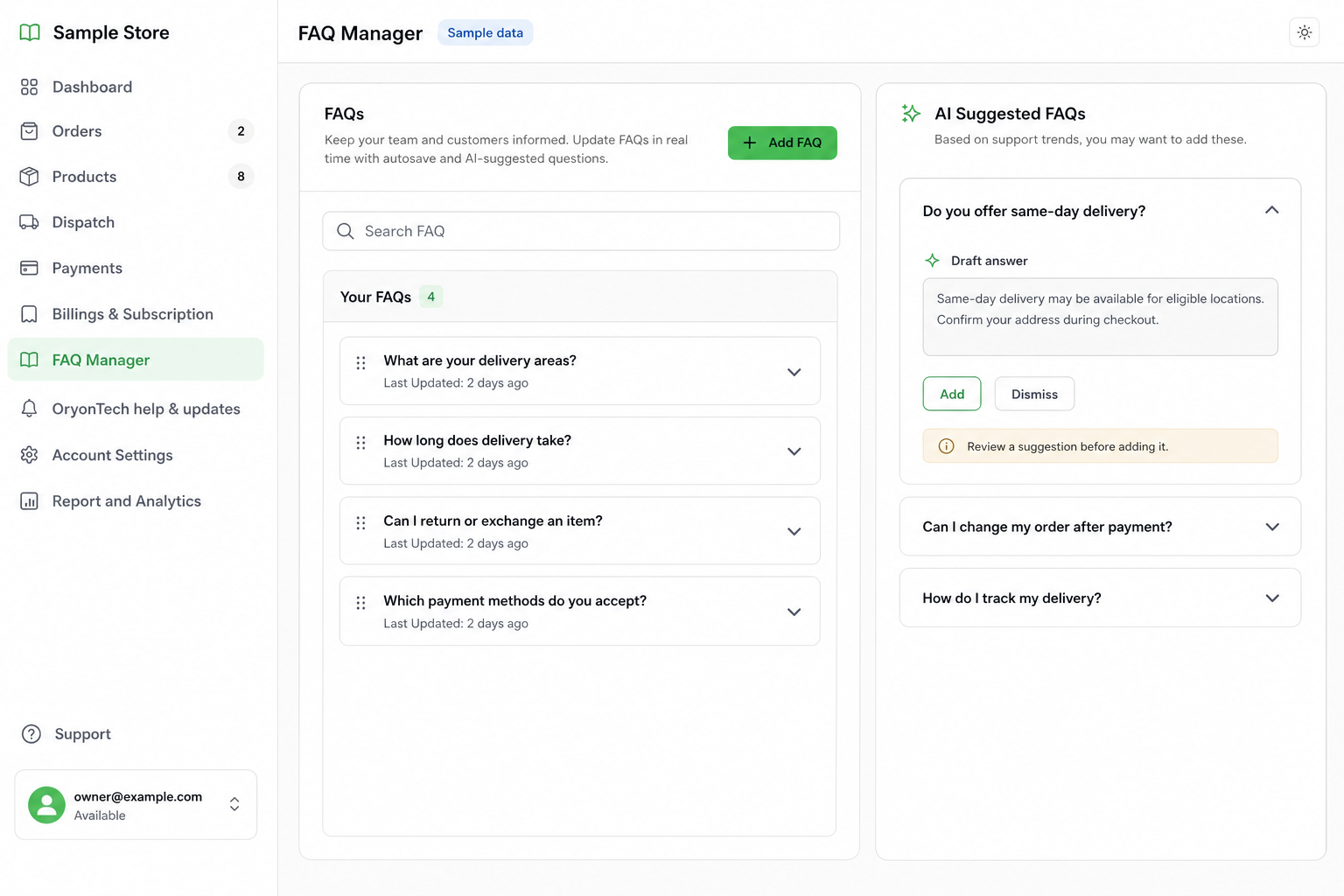
FAQ Manager stores the business answers your agent is allowed to use for common customer questions. It is the right place for policies, opening hours, delivery coverage, returns, service conditions, and other information that is not a product record.
Keep One Clear Answer per Question
Write the question the way a customer is likely to ask it, then give the complete answer you want the customer to receive. Keep conditions, locations, dates, fees, and exceptions explicit.
- Good: “Do you deliver to Lekki?” followed by the exact coverage, fee rule, and expected timing.
- Good: “What is your return policy?” followed by the allowed window, condition, and contact path.
- Avoid combining unrelated policies into one long answer.
- Avoid temporary promises that nobody will remember to update.
Edit, Search, and Restore Safely
You can search the FAQ list, edit an answer, delete an entry, and inspect version history. If a newer answer is wrong, restore an earlier version instead of reconstructing it from memory.
Review FAQs whenever your delivery area, opening hours, return policy, payment process, or product rules change.
What Happens When the Answer Is Missing
The agent searches active FAQs for a reliable answer. Customers can also browse published FAQs in small groups and ask to see more.
If the agent repeatedly cannot find a reliable answer, the safer path is human handoff rather than invention. Review those handoffs and add a new FAQ when the same real question keeps appearing.
An FAQ is an approved business answer, not a suggestion for the agent to improvise around.
Ready to open your dashboard?
Add the repeat questions your customers are already asking.