From Customer Chat to Order
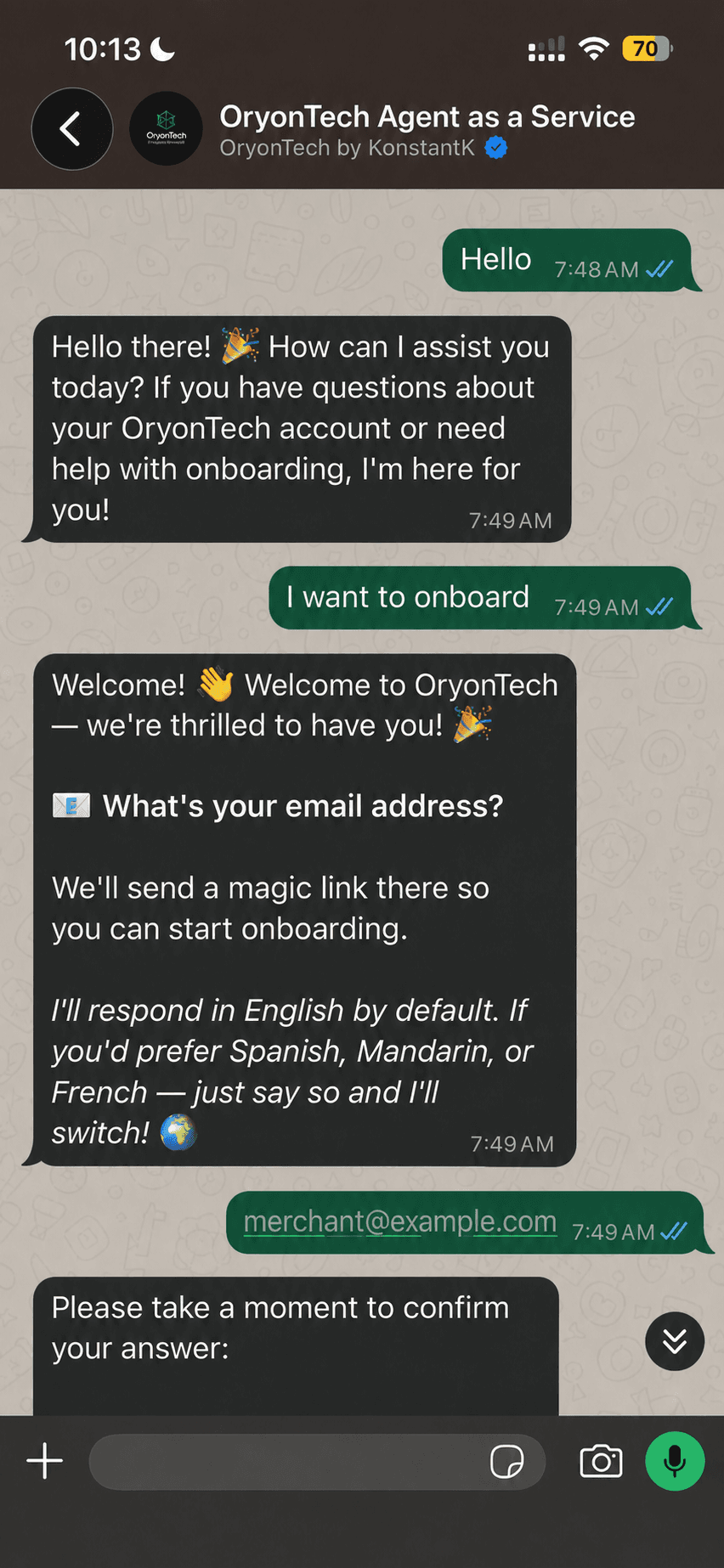
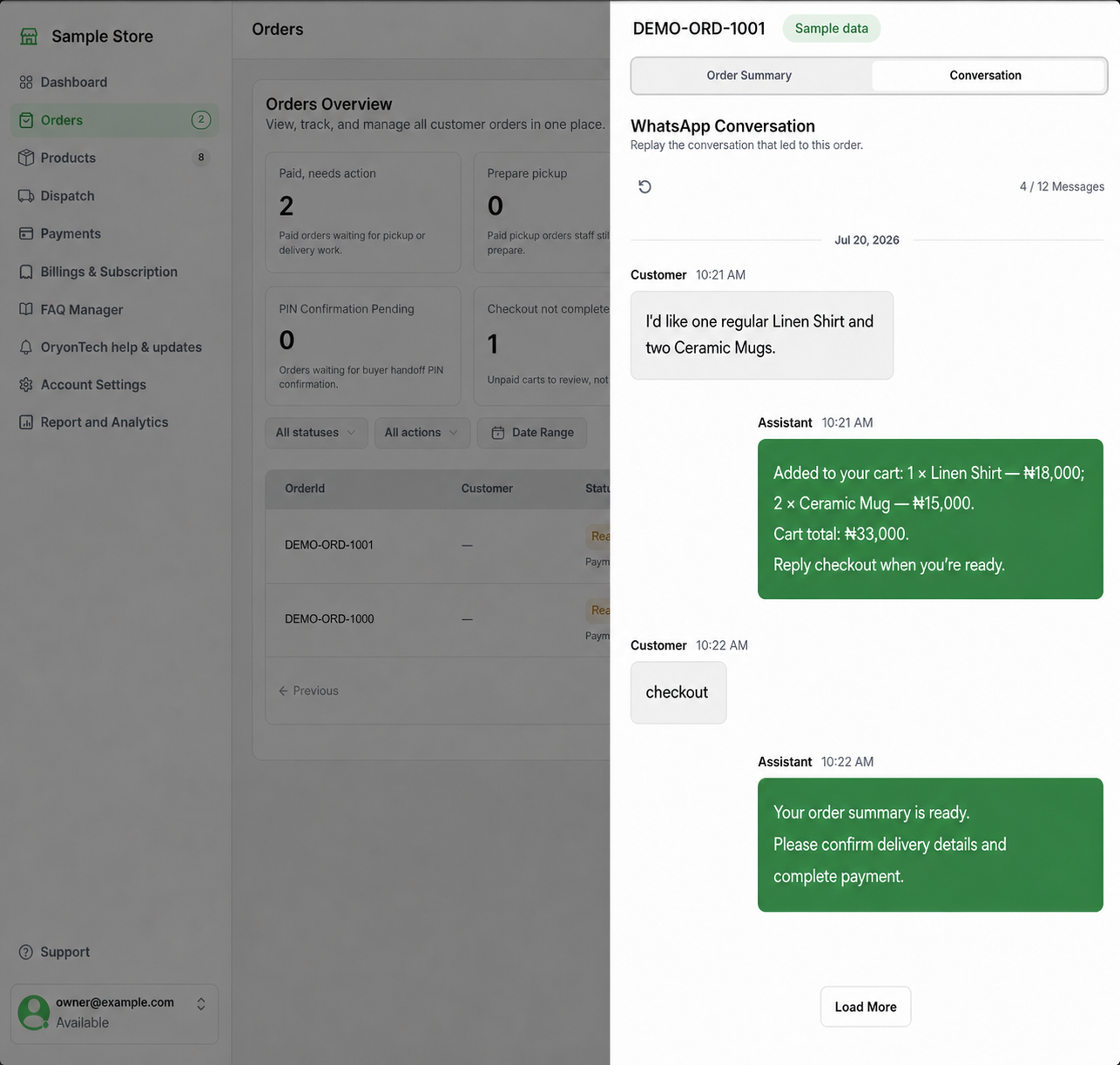
The agent uses your active catalog to help a customer choose products, variants, and quantities. It validates that each item belongs to your catalog, checks stock, and recalculates the cart total from backend prices.
A cart is not a paid order. Fulfillment work begins only after payment or the required order confirmation is recorded.
Use the Action Queues
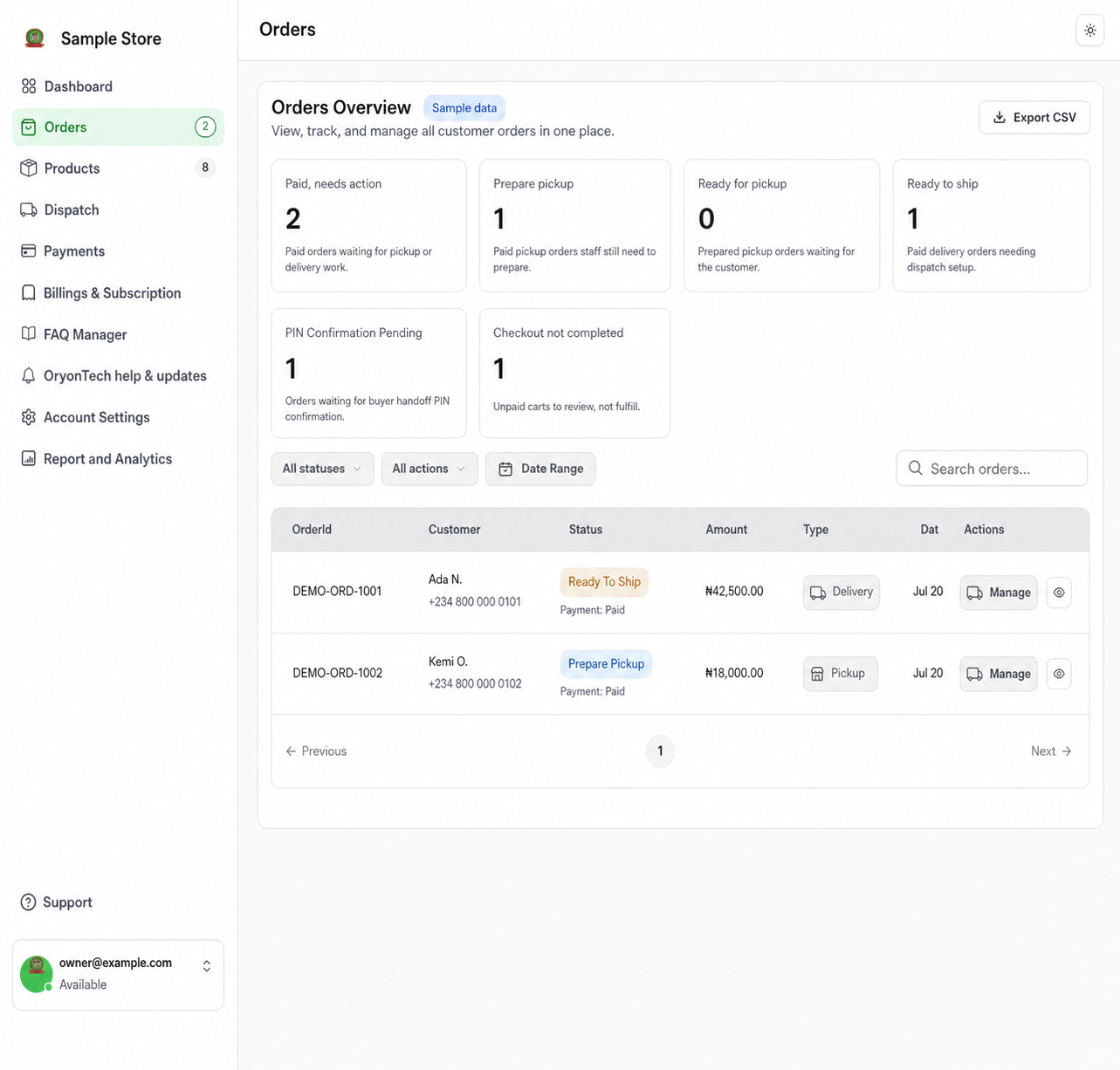
The Orders page groups work by the next action so you do not have to interpret every status manually.
- Paid, needs action: paid pickup or delivery orders waiting for fulfillment work.
- Prepare pickup: paid pickup orders staff still need to prepare.
- Ready for pickup: prepared orders waiting for customer collection.
- Ready to ship: paid delivery orders that still need dispatch setup.
- PIN confirmation pending: orders waiting for the buyer handoff code when PIN confirmation is enabled.
- Checkout not completed: unpaid carts to review, not orders to fulfill.
For Customer Pickup
Move the order through preparation and ready-for-pickup states. When the customer collects the order, complete the pickup action. If your business requires a handoff PIN, use the code confirmation before treating the handoff as complete.
For Delivery
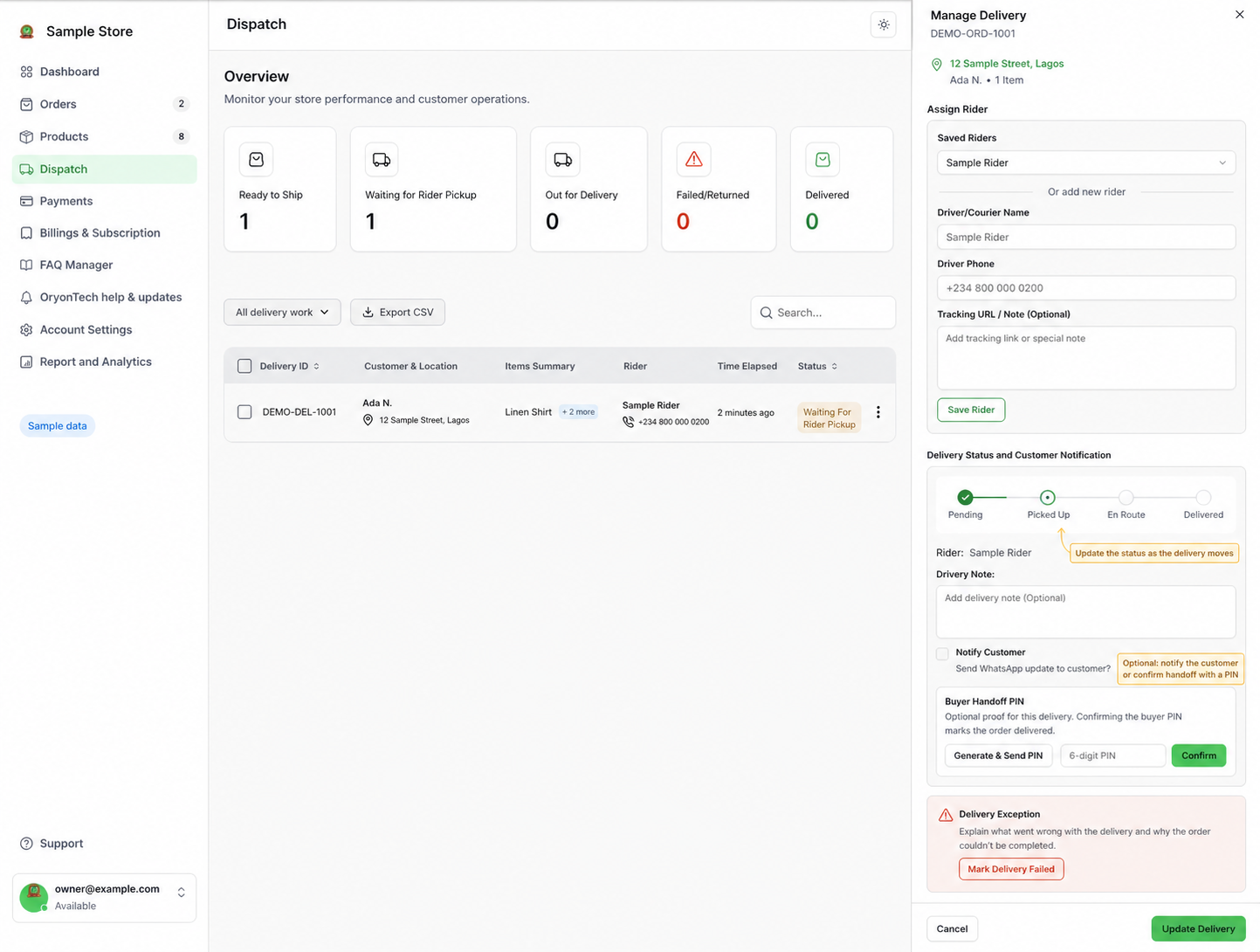
Use the delivery or Dispatch controls to manage waiting for rider pickup, picked up, en route, delivered, failed, or returned work. Keep the status current because it drives what staff see and what the customer can be told.
Assign a saved rider or add a new rider, then update the delivery milestone. Customer notifications and the optional buyer handoff PIN are controlled from the same delivery workflow.
Use the Conversation and Order Record Together
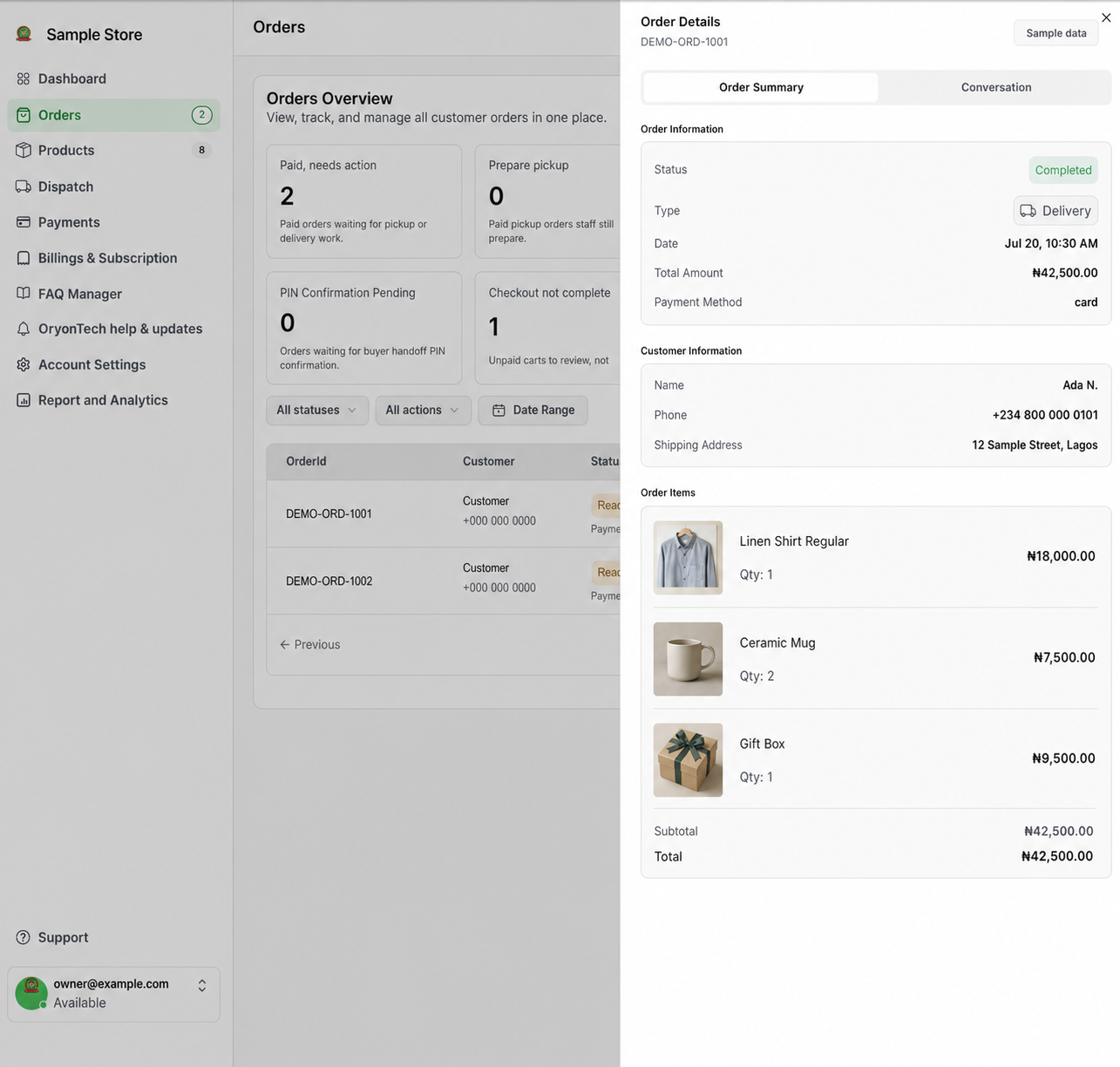
Open an order to review its items, totals, payment state, customer details, and related conversation. The conversation explains what the customer asked for; the order record remains the authoritative operational and money record.
Use search, date filters, action filters, and CSV export when you need to reconcile a larger set of orders.
Checkout not completed means unpaid. Never send an abandoned cart into pickup or delivery work.
Ready to open your dashboard?
Start with paid orders that need a pickup or delivery action.