It Is Not a General-Purpose Chatbot
Agent as a Service represents your business. It is restricted to customer tasks connected to your business, including products, FAQs, carts, orders, checkout, delivery, in-chat payment, and support.
Questions outside your business are declined and redirected toward an appropriate product or order task.
Clear Requests Follow Defined Routes
Common requests such as show products, view cart, pay, track an order, or speak to a person enter defined specialist routes. The current conversation state keeps short replies, such as a quantity, variant, delivery choice, or confirmation, attached to the correct task.
Product results are ranked against the customer request. Weak matches are not presented as facts; the agent asks for clarification instead of displaying unrelated products.
Humans Stay in Control
A customer can explicitly ask for a person. Repeated questions the agent cannot answer reliably can also create a handoff. While a customer handoff is active, the agent stays out of that conversation so staff can take over without competing replies.
When staff resolves the handoff, the agent can resume assisting that customer. Owners can also pause the agent for the whole business from Agent Settings without deleting products, orders, or the subscription.
How to Improve Your Agent
Keep product names clear, descriptions specific, prices and stock current, and FAQs written as approved customer-facing answers. Review handoffs to see where customers are asking questions that your catalog or FAQ library does not yet cover.
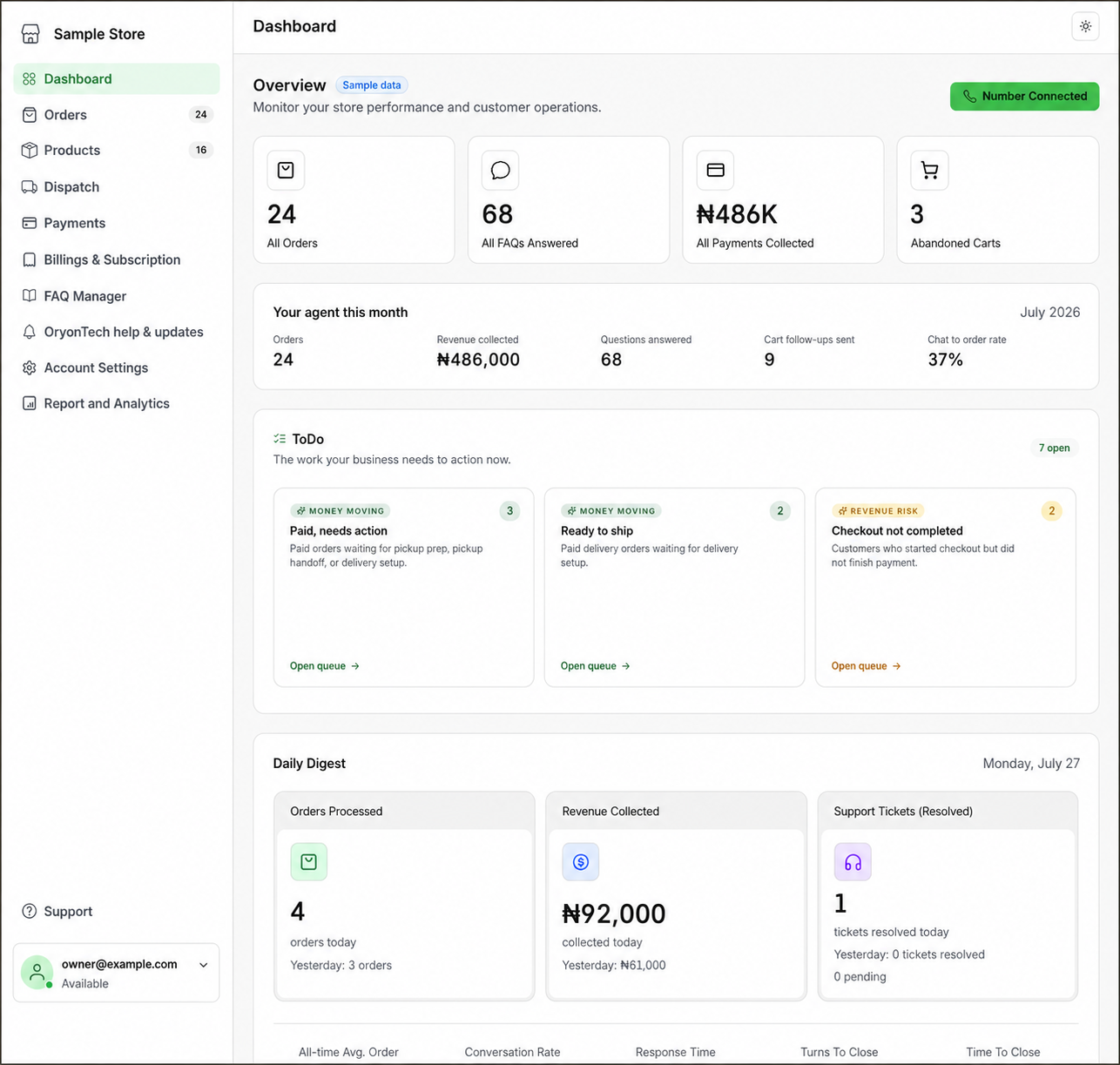
Treat the dashboard as the control surface for the agent. Better source data produces safer and more useful customer conversations.
The agent is guided by your approved business data and deterministic operating rules; it does not have permission to make up business facts.
Ready to open your dashboard?
Check whether your agent is on, paused by you, or blocked by another account condition.